
Staying connected with family shouldn’t cost you your peace of mind. If you’re a senior struggling with expensive cell phone bills, you’re not alone—and help is available right now.
The good news? The federal government offers legitimate programs that provide free cell phones and monthly service to qualifying seniors. No tricks, no hidden fees, and no complicated contracts.
Why Every Senior Deserves a Free Cell Phone
Emergency situations don’t wait for convenient times. Whether it’s a medical emergency, a fall at home, or simply needing to reach family, having reliable communication can be lifesaving.
Studies show that seniors with access to mobile phones have better health outcomes and stronger family connections. Yet many fixed-income seniors choose between paying for groceries or keeping their phone service active.
Government programs recognize this essential need. Since 1985, federal assistance has helped millions of Americans stay connected through the Lifeline program.
Avoiding Phone Scams: Red Flags Every Senior Should Know
Before diving into legitimate options, let’s address the elephant in the room. Scammers frequently target seniors with fake “free phone” offers.
Here’s how to spot legitimate vs. fake programs:
Legitimate government programs will:
- Never ask for upfront fees or credit card information
- Direct you to official government websites (ending in .gov)
- Require documentation to prove eligibility
- Be administered by FCC-certified carriers
Red flags to watch for:
- Door-to-door sales representatives demanding immediate decisions
- Requests for Social Security numbers over unsolicited phone calls
- Promises of “limited time” offers that pressure you to act immediately
- Requests for gift cards or wire transfers as “processing fees”
Always verify any program through the official Lifeline website at lifelinesupport.org before providing personal information.

Government-Approved Free Phone Programs (You Probably Qualify)
The primary program helping seniors access free cell phones is the Lifeline Assistance Program. This Universal Service program has been connecting low-income Americans since 1985.
Lifeline Program: Your Path to Free Communication
The Lifeline program provides eligible households with up to $9.25 monthly discount on phone or internet service. For seniors living on Tribal Lands, the discount increases to $34.25 per month.
What makes this especially valuable for seniors is that many providers offer completely free service within this discount amount.
Important Update: Affordable Connectivity Program
It’s crucial to understand that the Affordable Connectivity Program (ACP) ended on June 1, 2024 due to lack of congressional funding. Many outdated articles still reference ACP benefits, but these are no longer available. However, the Lifeline program continues operating normally.
Do You Qualify? (Most Seniors Do)
Eligibility requirements are more generous than many seniors realize. You may qualify through income limits or participation in existing assistance programs.
Income-Based Qualification
Your household qualifies if your total annual income is at or below 135% of the Federal Poverty Guidelines. For 2025, this means:
| Household Size | Annual Income Limit |
|---|---|
| 1 person | $20,331 |
| 2 people | $27,547 |
| 3 people | $34,763 |
| 4 people | $41,979 |
| 5 people | $49,195 |
Program-Based Qualification
You automatically qualify if you or someone in your household participates in:
- Medicaid
- Supplemental Nutrition Assistance Program (SNAP/Food Stamps)
- Supplemental Security Income (SSI)
- Federal Public Housing Assistance
- Veterans Pension and Survivors Benefits
- Certain Tribal programs
Required Documentation Checklist
Keep these documents ready for your application:
- Photo ID (driver’s license or state ID)
- Proof of income (Social Security statement, pay stub, or tax return)
- Proof of program participation (benefit card or enrollment letter)
- Proof of address (utility bill or lease agreement)
The application process typically takes 7-10 business days once all documentation is submitted.
Senior-Friendly Phones: What to Look For
Not all free phones are created equal. Here’s what to prioritize as a senior:
Essential Senior-Friendly Features
Large, Clear Display: Look for phones with at least 5-inch screens and adjustable text size. The Samsung Galaxy A14 5G and Google Pixel models offer excellent visibility.
Simple Interface: Avoid phones with confusing menus. The Google Pixel 9 Pro XL includes simplified interfaces, while the Apple iPhone 16 offers Assistive Access for easier navigation.
Emergency Features: Many phones include medical alert capabilities and easy emergency calling. Look for phones with prominent emergency buttons.
Long Battery Life: Choose phones that last all day on a single charge. The Nokia C300 and Coolpad Belleza are known for excellent battery performance.
Camera Features for Staying Connected
Modern free phones include quality cameras for video calls with family:
- 13 MP ultrawide lens for group photos
- Front-facing camera for video calls
- Face scanner for secure, easy unlocking

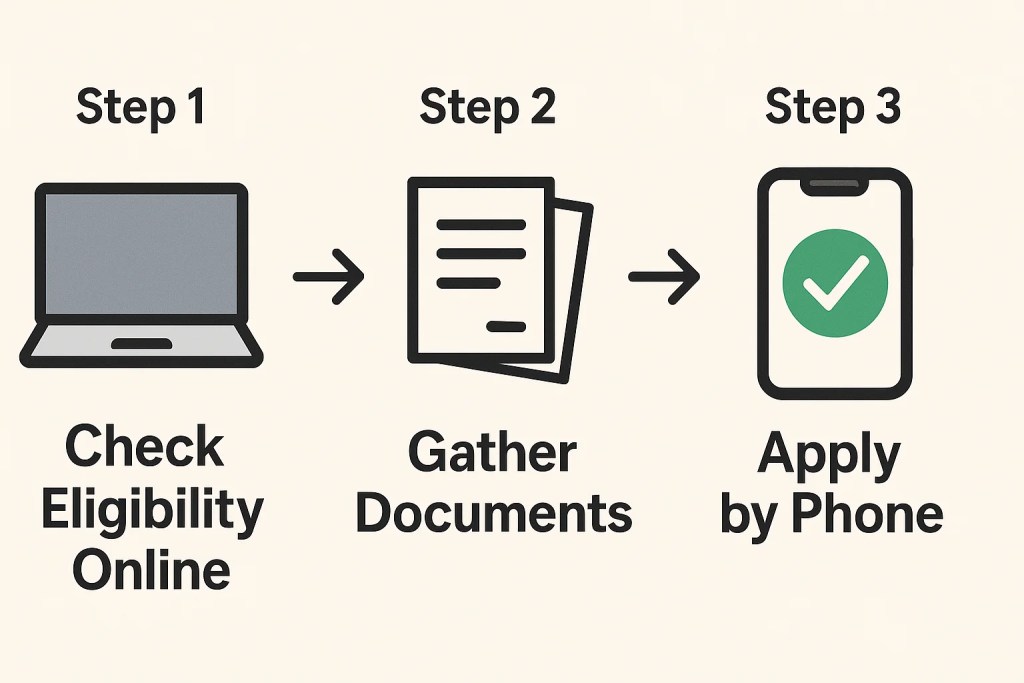
How to Apply: 3 Simple Steps
Getting your free phone is straightforward once you understand the process.
Step 1: Check Your Eligibility Online
Visit lifelinesupport.org and complete the quick eligibility check. This takes about 5 minutes and gives you immediate feedback.
Step 2: Complete Your Application
You have three application options:
Online Application (Recommended):
- Fastest processing time
- Immediate confirmation
- Upload documents digitally
- Track application status
Phone Application:
- Call the Lifeline Support Center at (800) 234-9473
- Helpful for seniors who prefer speaking with a person
- Representatives available in multiple languages
Mail Application:
- Download forms from lifelinesupport.org
- Mail completed application with document copies to: Lifeline Support Center, PO Box 1000, Horseheads, NY 14845
Step 3: Choose Your Provider and Phone
Once approved, select from certified carriers in your area. Popular options include:
| Provider | Network | Special Features |
|---|---|---|
| Assurance Wireless | T-Mobile Network | Unlimited Talk & Text, nationwide coverage |
| Life Wireless | Multiple networks | High-speed data, 5G compatibility |
| AirTalk Wireless | Multiple networks | Premium smartphone options |
Each provider will send your free phone and SIM card within 5-7 business days.
Top Free Phone Programs Compared
Understanding your options helps you choose the best fit for your needs.
Assurance Wireless: Most Popular Choice
What’s Included:
- Free smartphone (Android models typically available)
- Unlimited Talk & Text
- Data allowance varies by state (typically 8-15GB)
- Operates on T-Mobile Network with nationwide coverage
Pros:
- Largest network coverage
- Reliable customer service
- 4G LTE and 5G speeds
- No contracts or credit checks
Cons:
- Limited iPhone availability
- Phone selection varies by region
Life Wireless: Premium Options
What’s Included:
- Choice of smartphone models
- Varies data plans by state
- High-Speed Data up to plan limit
- 5G network access where available
Pros:
- Better phone selection
- Higher data allowances in some states
- Reliable LTE speeds
- Good customer support
Cons:
- Not available in all states
- Limited refurbished phones selection
AirTalk Wireless: Premium Smartphone Focus
What’s Included:
- Premium smartphones including Samsung Galaxy S9+ and Apple iPhone 7 Plus
- Generous data allowances
- Nationwide coverage
- Trade-in process available
Pros:
- Best smartphone selection
- Trade-in value for upgrades
- Trade-in credits system
- Excellent trade-in condition requirements
Cons:
- May require small upgrade fees for premium device models
- Limited availability in some states
California LifeLine: State-Specific Benefits
California residents have access to enhanced benefits through California LifeLine, which provides additional discounts beyond federal Lifeline benefits. This program can be combined with federal assistance for maximum savings.
State-Specific Programs and Variations
Some states offer additional benefits beyond federal programs:
Enhanced State Programs:
- California: Additional discounts through California LifeLine
- Texas: Texas Lifeline with extra data
- New York: Enhanced senior-specific benefits
Tribal Lands Benefits: Seniors living on qualifying Tribal Lands receive enhanced discounts of up to $34.25 monthly, often covering premium plans completely.
Phone Compatibility and Bring Your Own Device
Already have a phone you love? Many programs allow you to keep your current device.
Device Compatibility Requirements
Your phone must be:
- Unlocked (not tied to another carrier)
- Compatible with your chosen provider’s network
- 4G LTE or 5G capable for best service
Use carrier compatibility checkers before applying. Most providers support:
- Unlocked Android phones
- Unlocked iPhones (iPhone 6 and newer)
- Many other device models from major manufacturers
Getting Your Phone Unlocked
If your current phone is locked to another carrier:
- Contact your current carrier to request unlocking
- Meet their eligibility requirements (usually completing your contract)
- Follow their unlocking process
- Verify compatibility with your new provider
Access to Technology Beyond Basic Service
Modern Lifeline providers offer more than just basic calling:
Advanced Features Included
Internet Access: Full web browsing capabilities let you access telehealth services, online banking, and stay current with news.
App Downloads: Install essential apps like:
- Medical reminder apps
- Weather alerts
- Video calling (FaceTime, WhatsApp)
- Banking apps for account management
Emergency Services: Enhanced 911 services provide location information to emergency responders, even if you can’t speak.
Telehealth Program Integration
Many seniors use their free phones to access Telehealth Program services. This includes:
- Video consultations with doctors
- Prescription reminders
- Health monitoring apps
- Medicare appointment scheduling
Registration Process and Maintaining Your Benefits
Getting approved is just the beginning. Here’s how to maintain your benefits long-term.
Annual Recertification
The registration process requires annual renewal. USAC will contact you each year to:
- Confirm you still meet eligibility requirements
- Update your address and contact information
- Verify you’re still using the service
Important: You must use your phone at least once every 30 days to maintain benefits. A simple text message or brief call keeps your service active.
Transferring Benefits
You can transfer your Lifeline benefit between providers without losing service. This allows you to:
- Switch to a provider with better coverage in your area
- Upgrade to better phone options
- Change to a provider with more suitable cell phone plans
Additional Resources and Support Organizations
Beyond Lifeline, several organizations help seniors access technology:
Technology Access Organizations
The On It Foundation: Provides technology training and support specifically for seniors learning to use smartphones.
PCs for People: Offers refurbished devices and digital literacy training, often coordinating with Lifeline providers.
Alliance for Technology Refurbishing and Reuse: Provides refurbished devices to qualifying seniors and technology training.
Government Support
Wireline Competition Bureau: Oversees Lifeline program administration and can help resolve provider issues.
USAC Customer Service: Provides application support and answers program questions at (800) 234-9473.

Comparison with Other Senior Communication Options
Understanding how free government phones compare to other options helps you make informed decisions:
| Option | Monthly Cost | Phone Included | Best For |
|---|---|---|---|
| Lifeline Program | $0 | Yes | Fixed income seniors |
| Senior-specific carriers | $15-30 | Usually extra cost | Seniors wanting premium features |
| Major carrier senior plans | $30-60 | Usually extra cost | Seniors with higher incomes |
| Prepaid plans | $10-25 | No | Tech-savvy seniors |
FAQ: Common Questions About Free Government Phones
Q: Can I get an iPhone through Lifeline? A: Some providers occasionally offer refurbished iPhones, including iPhone 16 models and Google Pixel 9 Pro XL devices, but Android phones are more commonly available.
Q: Is there really no monthly bill? A: Correct. If you qualify for Lifeline and choose a plan covered by the $9.25 monthly discount, you pay nothing monthly.
Q: Can I upgrade my phone later? A: Yes. Most providers offer upgrade options for small fees, typically $10-50 depending on the new phone.
Q: What if I need more data than my plan includes? A: You can purchase additional data or upgrade to a plan with more High-Speed Data.
Q: Do I need to return my phone if I no longer qualify? A: Generally no, but you’ll need to start paying for service if you lose Lifeline eligibility.
How Family Members Can Help
Many seniors benefit from family support during the application process and ongoing phone use.
Supporting the Application Process
Adult children can help by:
- Gathering required documentation
- Assisting with online applications
- Providing transportation to provider locations if needed
- Helping compare provider options
Setting Up Senior-Friendly Features
Once the phone arrives, family members can help:
- Adjust text size and display brightness
- Set up emergency contacts
- Install essential apps
- Enable Assistive Access features on iPhones
- Configure Google Gemini voice assistance
Ongoing Support
Regular check-ins help seniors:
- Stay comfortable with their phones
- Troubleshoot minor issues
- Update apps and software
- Maintain their Lifeline benefits
Your Next Steps: Get Connected Today
Don’t let another day pass without reliable communication. Here’s your action plan:
Step 1: Check Your Eligibility (5 minutes)
Visit lifelinesupport.org and complete the quick eligibility check. Most seniors qualify through either income limits or existing benefit programs.
Step 2: Gather Your Documents
Collect:
- Photo ID
- Proof of income or benefit participation
- Current address verification
Step 3: Apply Today
Choose your application method:
- Online: Fastest processing at lifelinesupport.org
- Phone: Call (800) 234-9473 for assistance
- Mail: Download forms and mail with documents
Step 4: Select Your Provider
Research providers available in your area and compare:
- Phone options available
- Data allowances
- Network coverage
- Customer service ratings
Step 5: Stay Connected
Once your phone arrives:
- Activate service following included instructions
- Set up emergency contacts
- Use your phone at least once monthly to maintain benefits
- Complete annual recertification to keep your service
Important Reminders for Success
Act Now: While Lifeline is an ongoing program, phone availability can vary. Popular models like the Galaxy A14 5G or LG SOLO may have limited availability.
One Per Household: Remember that Lifeline benefits are limited to one discount per household, regardless of how many eligible people live there.
Keep Documentation: Save all correspondence from USAC and your provider for future recertification.
Stay Alert: Be wary of scams offering “upgraded” Lifeline services. Legitimate program benefits don’t require additional payments.
Communication is a basic necessity, not a luxury. Government programs exist to ensure every American, regardless of income, can stay connected to family, emergency services, and essential resources.
Your free phone is waiting. The only question is: will you take the next step to claim it?
For additional money-saving resources for seniors, explore our comprehensive guides on senior discounts, and learn more about avoiding senior scams.
Remember: staying connected strengthens your independence, improves your safety, and enriches your relationships. Take advantage of these programs designed specifically to help you thrive in your golden years.

I’m Shirley Jones, a dedicated writer with a diverse background in medical/dental claims, education, and writing. With over 10 years of classroom teaching and the experience of self-publishing 25 books, I bring a wealth of knowledge and passion to SeniorsDeal.com. I love helping seniors explore their options, aiming to make their retirement fulfilling and worry-free. My skills in creative, technical, and legal writing, coupled with my heart for community service, allow me to connect deeply with our readers.